← All 50 books
Book 40 of 50 · Free
No-Code/Low-Code Automation Tools
2,601 words · 17 chapters · illustrated
Book 40 of 50 · Free
2,601 words · 17 chapters · illustrated
Book 40 of 50 — AstolixGen Learning Series For researcher and publication students
No-code/low-code platforms let non-programmers build automations, apps, and integrations visually — and let researchers prototype in hours instead of weeks. This book is the critical guide: what these tools do well, where they break, how to evaluate them rigorously, and how to use them as research instruments (rapid prototyping, citizen-developer studies, IoT dashboards). You'll learn to see past the marketing and measure what matters: build speed, total cost, limits, and lock-in.
Learning objectives: - Map the no-code/low-code landscape (automation, app builders, IoT) - Evaluate platforms on rigorous criteria (not marketing) - Prototype research systems rapidly with these tools - Measure build-speed and cost trade-offs vs custom code - Identify limits: scale, customization, lock-in, governance - Study citizen developers scientifically - Publish tool-evaluation and adoption research
No-code: fully visual building, no programming required (Zapier, Make, Glide). Low-code: visual plus optional code for escape hatches (n8n, Power Apps, Retool). The spectrum matters: pure no-code hits walls fast (custom logic, scale); low-code's escape hatches determine whether a prototype can grow into production.
What they abstract: UI wiring, API authentication, hosting, scaling (to a point), and boilerplate. What they can't abstract: your domain logic, data modeling decisions, and the consequences of scale. A researcher who understands this builds 10× faster without being trapped.
Example: An IoT dashboard prototype: Node-RED (low-code) wired MQTT → dashboard in 3 hours; the "equivalent" custom build was estimated at 2 weeks. The prototype won the grant; the production system later replaced Node-RED where it bottlenecked — a planned, not painful, migration.
For your research: No-code tools are research accelerators for prototyping — cite the build-time saving as methodology efficiency, and be honest about what was prototyped vs productionized.
Key takeaway: No-code = visual only; low-code = visual + escape hatches; both accelerate prototyping, neither removes engineering judgment.
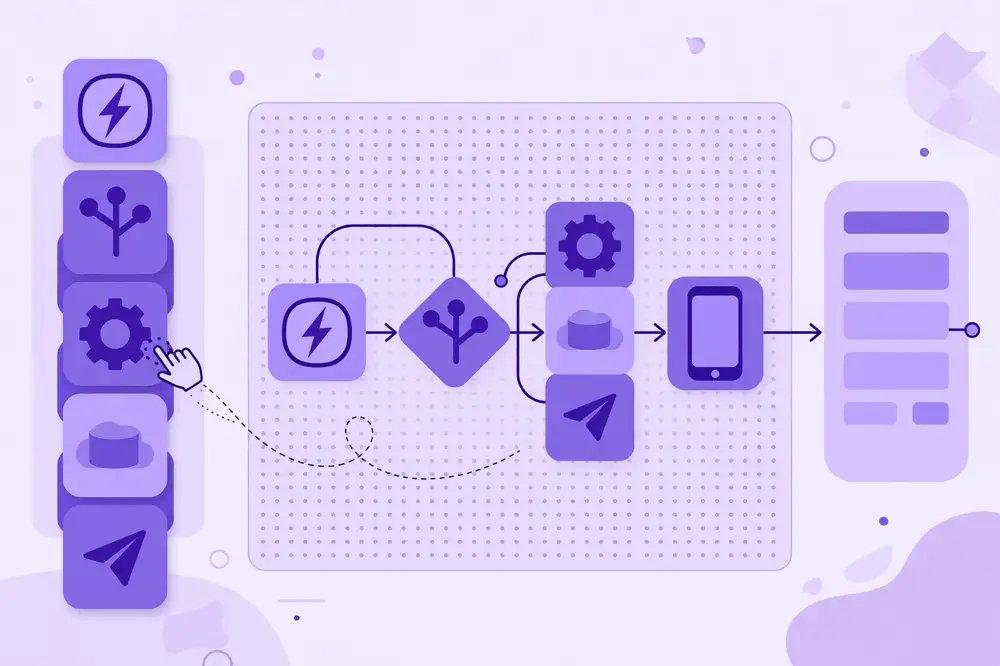
Automation/iPaaS: Zapier, Make, n8n (self-hostable, open), Power Automate — connect apps, move data. App builders: Glide, Bubble, Adalo, Power Apps, Retool (low-code, internal tools) — build interfaces fast. IoT-flavored: Node-RED (flow-based IoT wiring, open source), Losant, Ubidots — device dashboards and rules. AI-augmented: tools with AI builders (describe → app) — fast but audit the output.
Researcher's shortlist: n8n (self-hosted, no per-op cost, exportable), Node-RED (IoT standard for prototyping), Retool (internal research tools), plus one SaaS (Make/Zapier) for quick integrations. Learn one from each category deeply rather than ten shallowly.
Example: A lab's stack: n8n for data pipelines (self-hosted, free at scale), Node-RED for IoT demos, Retool for the equipment-booking tool. Total build time for all three: under 2 weeks by one researcher.
For your research: Platform-selection rationale (criteria, scoring, why these) belongs in methods when tools are part of the study infrastructure.
Key takeaway: Learn one automation, one app-builder, one IoT tool deeply — that covers 90% of research prototyping.
Evaluate on: 1. Capability fit (does it do your specific task? test, don't trust). 2. Scale limits (max executions, rate limits, data caps — find the numbers). 3. Cost at your volume (per-operation pricing: model 1M ops/month). 4. Data residency (self-host option? where's data stored? — critical for regulated research). 5. Exportability (can you export definitions? migrate off?). 6. Versioning/audit (can you diff changes? who changed what?). 7. Reliability (published SLA? status history?). 8. Security (SSO, credential vaulting, audit logs).
Example evaluation: For a 500k-executions/month pipeline: Zapier $X (per-task pricing punitive), Make $Y, n8n self-hosted ~$40 infra. n8n won on cost; the evaluation spreadsheet with 3-year projections was an appendix in the lab's methods paper.
For your research: Structured platform evaluations with real workloads are publishable — especially total-cost-at-scale analyses, which vendors never provide.
Key takeaway: Test capability, model cost at volume, check residency/export — the spreadsheet beats the sales call.
The research prototyping playbook: day 1: wire the happy path (sensor → platform → dashboard/alert) with sample data. day 2: add the real device/data source, basic error handling. day 3: user test with one real user, fix the top 3 issues. You now have a demo that wins grants and a scaffold for the production system.
What to prototype vs build properly: prototype the user-facing flow and integration; don't prototype security, scale, or data integrity — those need real engineering (say so explicitly).
Example: A grant demo for an air-quality alert system: Node-RED + MQTT + Telegram alerts, built in 6 hours, live sensor data. Won the pilot funding. Production later rebuilt the alerting in code — the prototype's value was proving the concept to funders, not serving users.
For your research: Report prototyping honestly: "prototype built in X hours with [tool]" is methodology transparency that reviewers appreciate.
Key takeaway: 3-day prototyping playbook — prove the concept fast, rebuild properly later, report honestly.
Node-RED (flow-based, open source, runs on Raspberry Pi): drag nodes for MQTT in/out, functions (JavaScript), dashboards, HTTP endpoints. Strengths: IoT-native (MQTT/serial/GPIO nodes), huge community, runs at the edge. Use it for: demos, pilots, data-collection glue, teaching. Don't use it for: high-throughput production (single-threaded Node.js), complex logic (flows become spaghetti — refactor to code past ~50 nodes).
Example: A field gateway: Node-RED on Pi subscribes to LoRa nodes via MQTT, validates, buffers to SD on outage, forwards to cloud, serves a local dashboard. 40 nodes, 6 months, zero code beyond 3 function nodes. The flow export is in the paper's artifact.
For your research: Node-RED flows are publishable artifacts — export the JSON, version it, include it. Reproducibility for IoT demos.
Key takeaway: Node-RED = fastest IoT glue; export flows as artifacts; refactor to code when flows sprawl.
Per-operation pricing (Zapier tasks, Make ops): costs scale with chatter, not value — a polling workflow checking every minute costs 43,200 ops/month doing nothing. Per-user pricing (many app builders): fine for small teams, brutal at scale. Data/row limits: caps that force upgrades mid-project. The self-hosting escape: n8n, Node-RED — your infra, your costs, no per-op meter.
Model before committing: spreadsheet your 3-year cost at 10× expected volume. The tool that's cheapest at 1k ops/month is often ruinous at 1M.
Example: A lab's Make bill went $29 → $299 → $999/month as a data pipeline grew. Migrated to self-hosted n8n: $35/month VPS, same workflows rebuilt in 3 days. The migration postmortem (costs, effort, lessons) was published as a practical note.
For your research: Cost-trap case studies (real bills, migration economics) are rare, honest, and highly read.
Key takeaway: Model 3-year cost at 10× volume before committing; per-op pricing punishes polling.
Hard limits: execution timeouts (long workflows killed), payload size caps, rate limits, no real transactions, limited debugging (good luck tracing a 200-node flow). Lock-in: proprietary formats, no export, workflows that can't run elsewhere — evaluate exit cost upfront. Mitigations: prefer tools with export (n8n, Node-RED JSON), keep complex logic in versioned code called by the platform, document the migration path before you need it.
Example: A team built 80 Zaps then needed on-premise data residency — no export path existed. Rebuild took 6 weeks. The lesson now in their playbook: "no platform without an exit strategy."
For your research: Lock-in analyses (exit-cost measurement for real migrations) are novel contributions — almost nobody publishes them.
Key takeaway: Know the timeouts, caps, and exit cost before you build — document the migration path upfront.
When everyone builds automations, you get shadow IT: unknown workflows touching production data, no owners, breaking silently. Governance light: a registry (what exists, owner, data accessed), guardrails (approved connectors, no production credentials in personal accounts), review for high-risk flows (money, personal data), and sunset rules (unused 90 days → archived).
Example: A university's "automation amnesty": 230 unknown workflows discovered, 41 touching student records without approval. Response: registry + approved-platform list + quarterly reviews. Incidents dropped to zero; innovation continued — governance enabled, not blocked.
For your research: Citizen-developer governance studies (what works, measured incident rates) bridge CS and organizational research — a fresh area.
Key takeaway: Registry + guardrails + reviews — govern lightly but explicitly.
Researchers constantly need: surveys, data-entry forms, participant tracking, and simple portals. No-code shines: forms (Typeform/Tally → sheets), participant management (Airtable/Notion + automations), experience sampling (scheduled mobile prompts), dashboards for supervisors. Build in hours, iterate with users, export data cleanly for analysis.
Example: A field study's data pipeline: Tally forms (offline-capable) → n8n validation → Airtable → nightly CSV export to the analysis repo. 400 participants, zero data-entry staff, validation caught 3% bad submissions at entry. The pipeline description was a methods paragraph.
For your research: Document your data-collection stack — reproducibility includes how data was gathered, not just analyzed.
Key takeaway: No-code for collection/entry/tracking; validate at entry; document the stack.
AI app builders (describe → working app) are fast and flawed: great for scaffolds and CRUD, weak on edge cases, security, and novel logic. Use them for: first drafts, mockups for user testing, boilerplate. Audit everything: generated code needs review like junior-developer code — check auth, validation, and data handling. The research angle: measuring AI-builder output quality (bugs per feature, security issues) is fresh, publishable work.
Example: An AI-built booking tool: 80% correct in 10 minutes, but the auth was broken (anyone could see others' bookings) — caught in review, fixed in an hour. The audit checklist developed became a lab standard.
For your research: AI-builder audits (systematic evaluation of generated apps on security/correctness) are novel — early papers will be cited.
Key takeaway: AI builders for drafts, human audit for everything — and auditing them is itself research.
Buy (SaaS): fastest, ongoing cost, least control. Build (code): slowest, full control, maintenance burden. Assemble (no/low-code): fast, moderate cost, bounded control. Decision factors: how unique is the need (unique → build), how fast (urgent → assemble/buy), data sensitivity (sensitive → self-host/build), expected lifespan (long → build/assemble with exit path), team skills.
Example matrix: Internal equipment tracker (unique-ish, sensitive data, long-lived): low-code self-hosted (Retool/n8n). Public event signup (standard, short-lived): SaaS forms. Core research instrument control: custom code. Three decisions, three different answers — the framework, documented, was the methods contribution.
For your research: Decision-framework papers (applied to real cases with outcomes) help every lab — practical and citable.
Key takeaway: Unique/sensitive/long-lived → build or self-hosted assemble; standard/short-lived → buy; document the reasoning.
Template:
For your research: Tool studies fit A1 (problem: slow research tooling + lit review) → A2 (evaluation design) → A3 (measurements) → A4 (demo + talk). The demo writes itself.
Key takeaway: Measure build speed AND total cost AND limits — the full picture is the contribution.
| # | Chapter | Core idea | Research use |
|---|---|---|---|
| 1 | Definitions | No-code vs low-code spectrum | Methodology transparency |
| 2 | Landscape | Categories, shortlist | Selection rationale in methods |
| 3 | Evaluation | 8 criteria, test don't trust | Publishable platform studies |
| 4 | Prototyping | 3-day playbook | Grant-winning demos |
| 5 | Node-RED | IoT glue, export flows | Artifact-ready flows |
| 6 | Cost traps | Per-op pricing, model 3-yr | Migration economics papers |
| 7 | Lock-in | Exit cost upfront | Novel exit-cost analyses |
| 8 | Governance | Registry + guardrails | Citizen-dev studies |
| 9 | Data collection | Forms → validation → export | Reproducible collection stacks |
| 10 | AI builders | Draft fast, audit always | Builder-audit research |
| 11 | Build/buy/assemble | Decision framework | Applied framework papers |
| 12 | Study template | Tool → paper pipeline | A1–A4 mapping |
[1] W. M. P. van der Aalst, Process Mining: Data Science in Action, 2nd ed. Springer, 2016. (book) [2] M. Dumas, M. La Rosa, J. Mendling, and H. A. Reijers, Fundamentals of Business Process Management, 2nd ed. Springer, 2018. (book) [3] J. G. Enriquez et al., "Robotic Process Automation: A scientific and industrial systematic mapping study," IEEE Access, vol. 8, 2020. [4] L. Atzori, A. Iera, and G. Morabito, "The Internet of Things: A survey," Computer Networks, vol. 54, no. 15, pp. 2787–2805, 2010. (for IoT tooling context) [5] A. Banks and R. Gupta, "MQTT Version 3.1.1," OASIS Standard, Oct. 2014. (for Node-RED/MQTT flows) [6] W. Shi et al., "Edge Computing: Vision and Challenges," IEEE Internet of Things Journal, vol. 3, no. 5, pp. 637–646, 2016. [7] R. Roman, P. Najera, and J. Lopez, "Securing the Internet of Things," Computer, vol. 44, no. 9, pp. 51–58, 2011. (for governance security) [8] S. Agostinelli, A. Marrella, and M. Mecella, "Research challenges for intelligent robotic process automation," in Proc. BPM 2019 Workshops, Springer, 2019. [9] NIST, "NISTIR 8259A: IoT Device Cybersecurity Capability Core Baseline," 2020. (for tool governance) [10] P. Warden and D. Situnayake, TinyML: Machine Learning with TensorFlow Lite on Arduino and Ultra-Low-Power Microcontrollers, O'Reilly Media, 2019. (book, for edge prototyping context)
End of Book 40. Next: Book 41 — Automating Reports with Python.